
Feature | Multilingual Filter Templates setup
We are happy to announce our renewed Filter Templates module in the Tweakwise App, redesigned to make managing your product filters faster, easier, and completely intuitive. As an e-commerce manager or digital marketeer, you need to manage your filters quickly, clearly, and without friction. Dealing with filters hidden in code, inconsistent translations, too many clicks, or constantly waiting for a developer costs time and flexibility. This updated module solves those issues by offering a fresh, intuitive interface with a multilingualism setup as a key benefit.
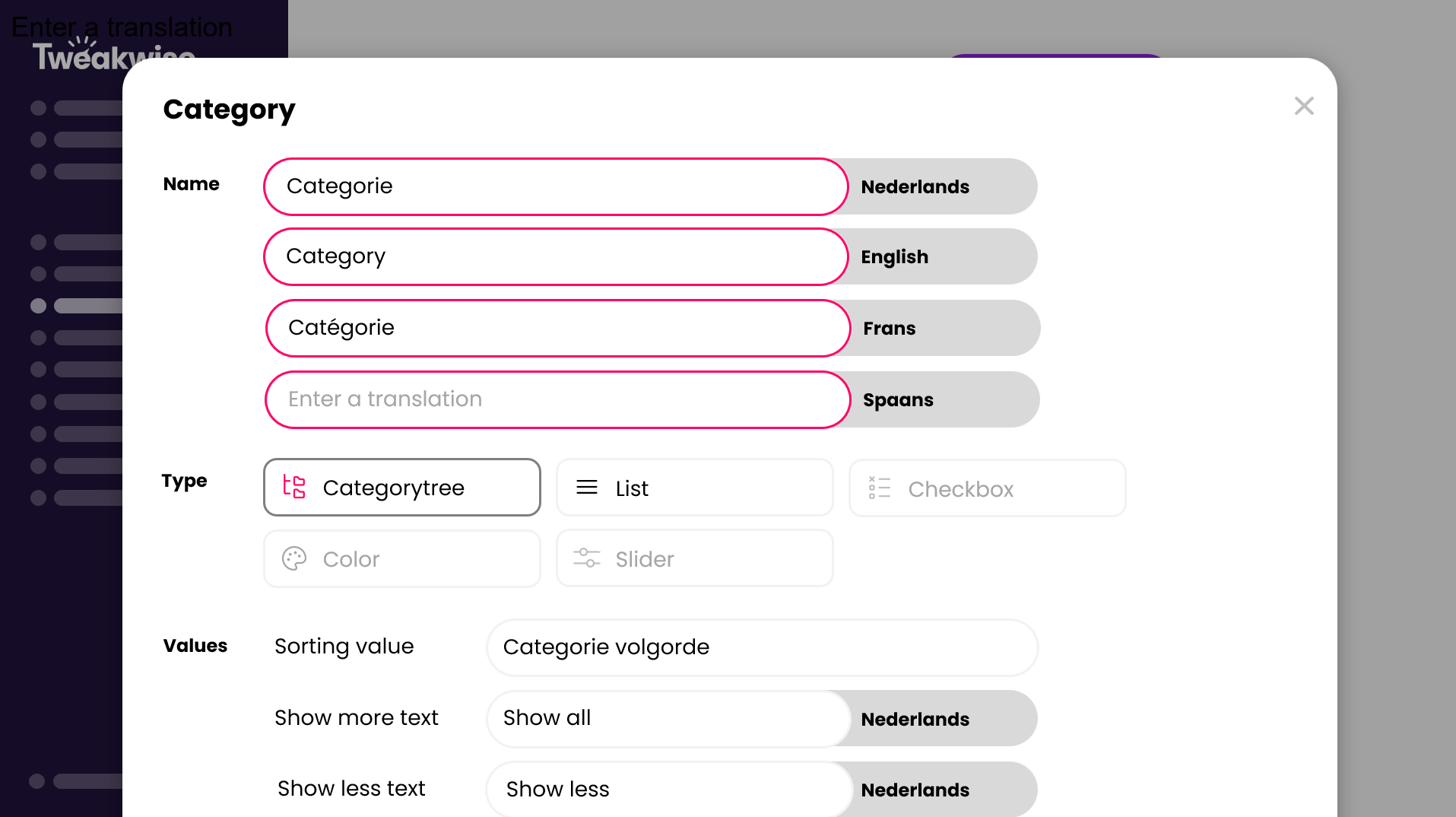
The redesign ensures that you manage your filters completely independently, without relying on developers. It has been revamped from the ground up to give you more control with fewer clicks and greater clarity. Everything now feels faster, clearer, and more logical. With the new interface, you manage filters faster and easier. You define the structure, sequence, types, and even translations yourself, all within one intuitive interface.
- Faster configuration: The redesigned interface means fewer clicks, more efficiency and clarity. You can configure filters in seconds.
- Full Filter control: You gain full filter control, managing filter structure, order, and languages without relying on developers.
- Flexible setup: You can effortlessly add new filter options and adjust their order. Filters can be reordered simply by dragging and dropping them into the position that best fits your category pages.
- Integrated Language Management: The new language management is fully integrated, allowing you to easily manage translations directly within the module. This keeps all filter labels consistent and centralized across every language and region. And don't be bothered to do all your translations yourself; with the help of AI translating was never be that simple.
This renewed Filter Template module gives you more control and boosts your speed. You can keep tweaking until your filtering perfectly matches what your visitors need. The result is a smoother experience, higher relevance, and stronger conversion, all without hassle. And even better, it works smoothly with our A/B Testing module too. Not sure whether your changes are right? Test them first in a make decisions based on clear, factual data instead of assumptions.
Languages management
To ensure you can fully utilize multilingual capabilities of the renewed Filter Templates module, it is essential that your instance recognizes languages as such. Language Management is a new, central feature within Tweakwise App designed to manage your languages. It allows you to easily define which languages are active, set a default language, and ensure your entire platform remains consistent across all languages and regions.
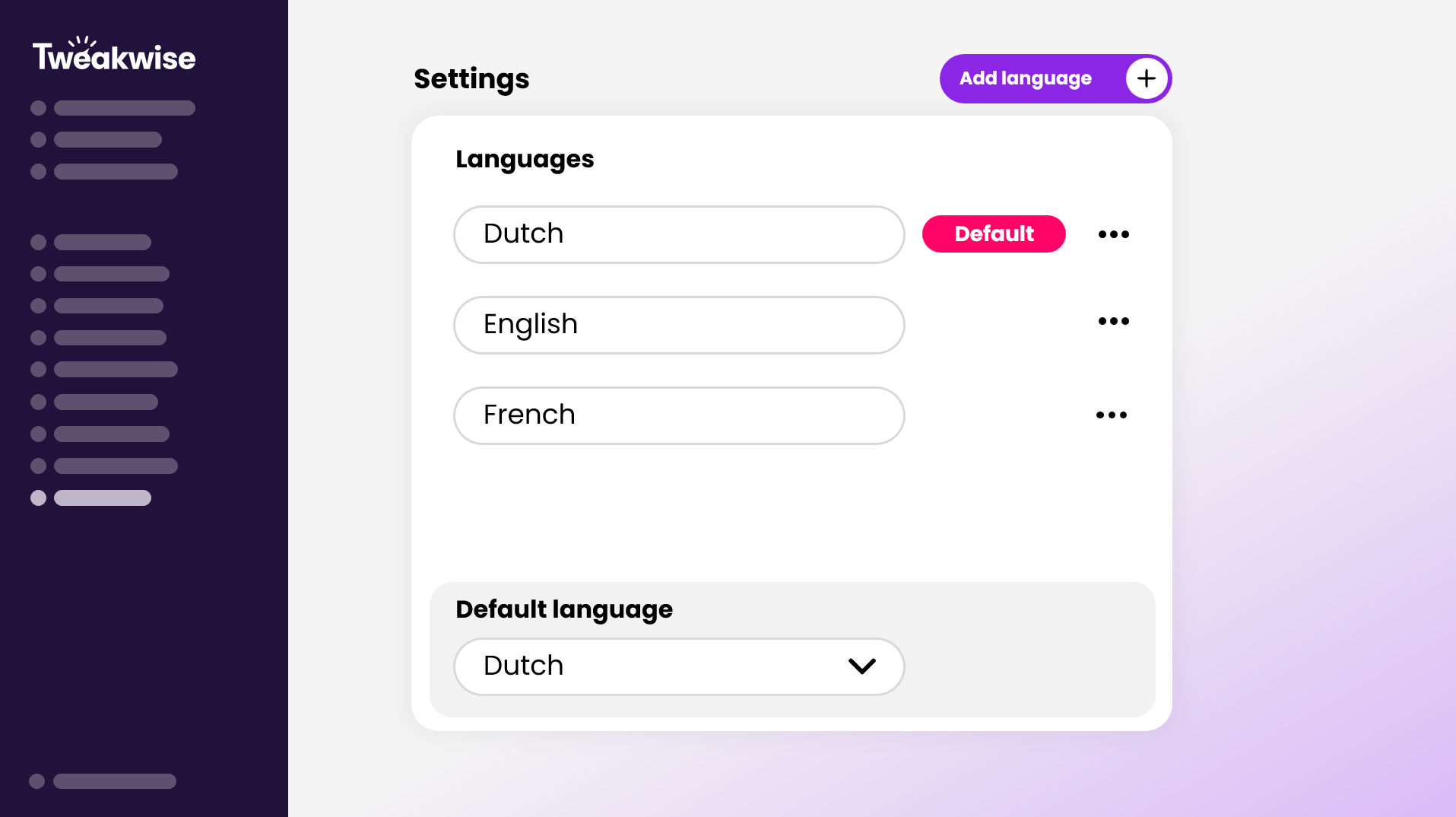
This new structure is what enables the fully integrated translation workflow now visible in the Filter Templates module. By managing languages from one place, it allows you to translate directly where you work: editing texts instantly within the filter configuration screen. This interaction ensures that all your filter labels are kept consistent and centralized, avoiding duplicate entries and mistakes. Tweakwise is continuing to integrate this structure into other modules like categories and products, ensuring you maintain clean oversight and control over multilingual content throughout the entire app.
Utilizing thetn_langparameterTo ensure filter templates appear in the correct language, the
tn_langparameter should be present in Frontend API requests. The code provided must be configured within the language settings in Tweakwise App. This configured language is mapped to a Full Text Language, which is crucial to apply complex linguistic processing to search terms, including plurals, verb conjugations, and splits. Utilizing thetn_langparameter guarantees the correct display of filter translations and enhances search relevance and accuracy.