
Feature | Category specific FTS language indexing
We have introduced the ability to assign specific languages to specific categories in your Tweakwise Catalog. This allows for more granular control over which languages are indexed per category, significantly improving publish performance for large, multi-language catalogs. When a request is made to the Delivery API without a specific tn_lang, the API now checks the category tree.
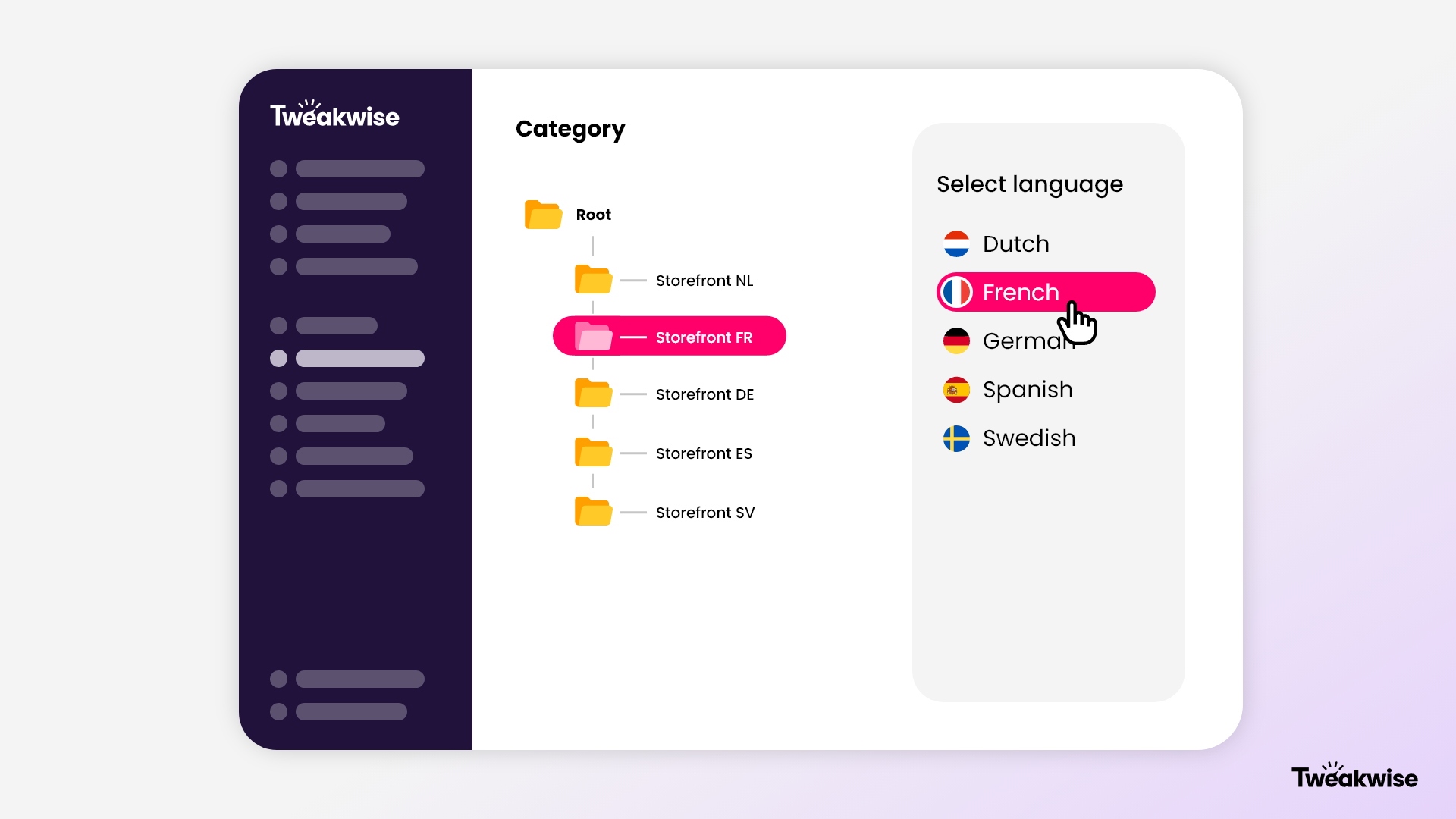
Previously, instances were published and available in all languages configured for that instance. This meant that even if a category was only relevant for a specific region (e.g., 'The Netherlands'), it was indexed for all enabled languages (Dutch, English, French, etc.), resulting in unnecessary data processing and longer publish times. With this update you can restrict a category to a specific language. This has two main benefits:
- Performance: Only the relevant language is indexed for Full Text Search (FTS), reducing publish duration.
- Frontend logic: The Delivery API automatically determines the correct default language based on the category, reducing the need for complex frontend logic. Especially for a multilingual Filter Templates setup, the use of
tn_langis not longer required in order to have the right language presented in our Delivery API.
How it works
This feature is currently available for Tweakwise instances with the Languages Management feature enabled. The logic follows a specific hierarchy to determine the default language. We first look at the requested category and its language setting. If a language is assigned, that language is used. If the category has no language configured, we check the parent categories (inheritance) up to the Root. If the Root category has no language restriction, the instance defaults to the standard behavior (publishing in all configured languages).
Utilizing thetn_langparameterThe
tn_langparameter in the API is still leading. If a validtn_langis provided in the request, it will override the category configuration as setup via Tweakwise App. However, thetn_langparameter should be recognized by Tweakwise and therefore needs to be configured in Languages Management.
Scenarios and logic
To help you understand how the default language is determined for any given request, we have outlined the most common configuration patterns below. The logic follows a strict hierarchy: specific category settings take precedence, followed by parent category settings, and finally the global instance configuration.
-
Root category without restriction: If the Root category is left unset, the root is published in all languages configured for the instance. This maintains backwards compatibility.
-
Root category with restriction: If the Root is set to a specific language (e.g., Dutch), the entire tree inherits this language. If a sub-category (e.g., 'DE Storefront') has a different language set (e.g., German), that sub-category and its children will switch to German.
-
Shared categories: For categories shared between different parent categories, the default language is derived from the path taken to reach the category.
- Path A (via Netherlands): Shared category resolves to Dutch.
- Path B (via Belgium - FR): Shared category resolves to French.
By scoping languages to specific categories, you can significantly reduce publish times and simplify your frontend logic. We encourage you to test this configuration in a staging environment to experience the performance benefits firsthand.