
Data Sync Using a Dev App
Create an app
Start by creating API credentials. These credentials will allow your app to communicate with both Shopify and Tweakwise.
With your API credentials ready, you can now configure Tweakwise:
-
In Tweakwise, go to the Shopify Data Sync job.
Enter the Client ID, Secret and your Shopify store name (xxx.myshopify.com) in the setup tab: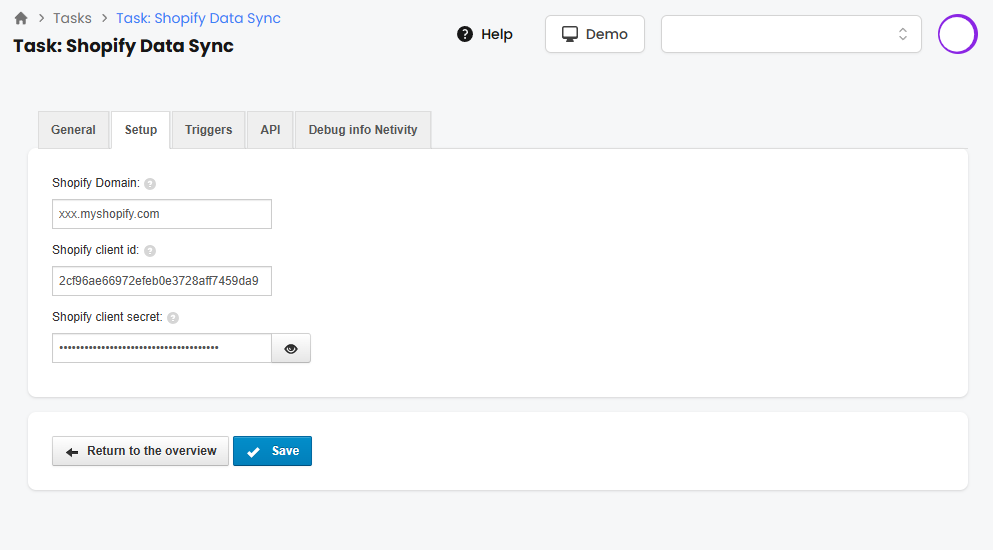
Releasing a new version
If you already have a Shopify dev app running Tweakwise, you may need to update it to use the latest API access scopes.
In the Dev Dashboard, go to Apps and find the Tweakwise app created before.
Go to Versions and choose Create version.
In the Create version page:
- In the API access section, paste these scopes:
read_companies,read_price_rules,read_locales,read_markets_home,read_metaobject_definitions,read_metaobjects,read_orders,read_products,read_publications,read_themes,read_translations,read_reports,read_content - Update the Webhooks API version to the latest version.
On the bottom of the page click Release, in the popup click again on Release.
Important: after the release is done, make sure you install the update on your store.
Updated about 1 hour ago