
The API credentials allow Tweakwise to synchronize your shop's products and categories with our database to keep content up to date. They are also used to read order data for product relations and services such as triggered emails.
You must create a private app for Tweakwise. If needed, you can read Shopify's documentation on custom apps here.
Follow the steps below:
-
Log in to your Shopify account.
-
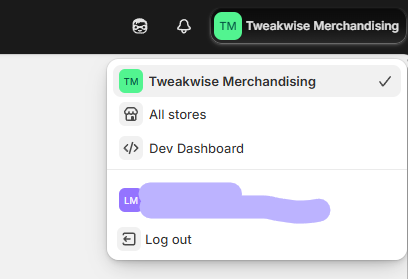
On the dashboard, click on the shop icon in the top right corner. In there click Dev Dashboard.
-
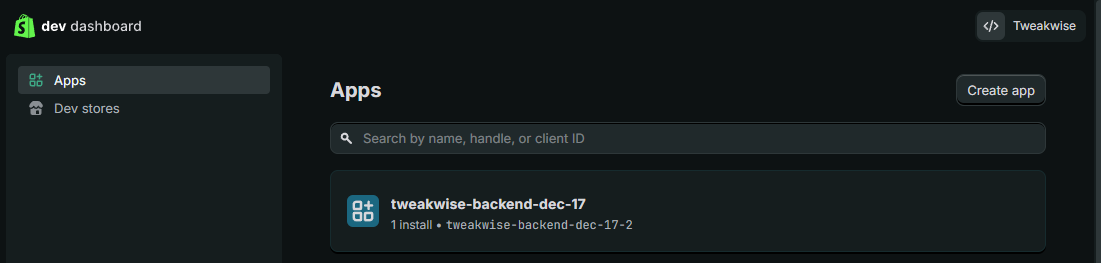
In this view, click Create app.
-
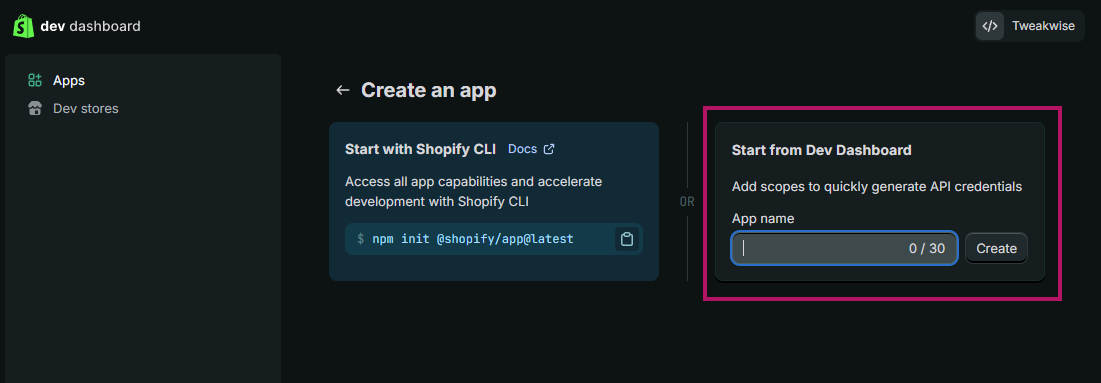
Choose the option Start from Dev Dashboard and give your app a name.
-
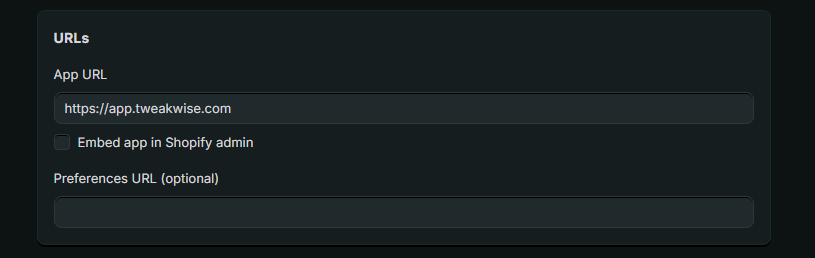
Enter https://app.tweakwise.com under URLs, and uncheck Embed app in Shopify admin.
-
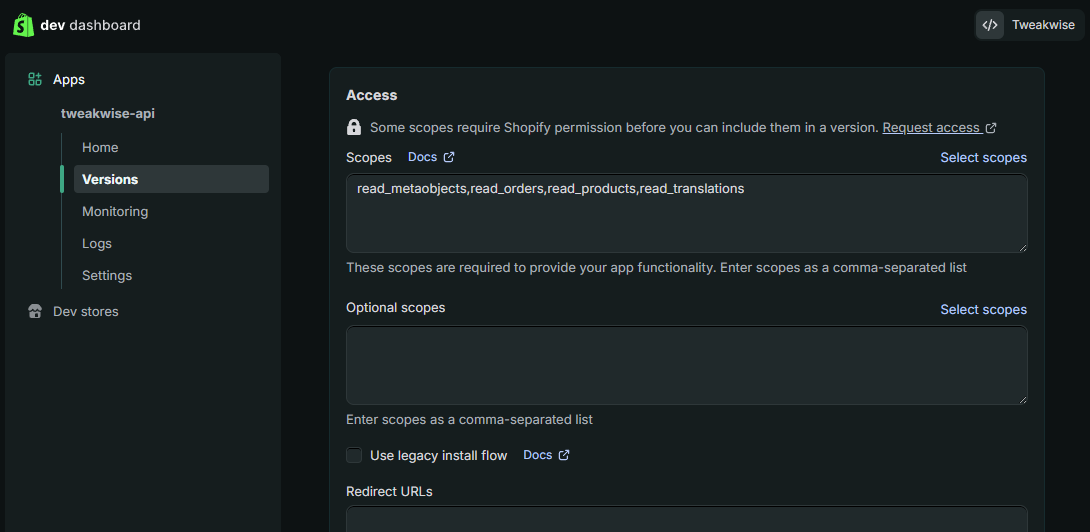
In the Access and finally click on Select Scopes.
-
In the popup, search for the following scopes and activate them:
read_companies,read_price_rules,read_locales,read_markets_home,read_metaobject_definitions,read_metaobjects,read_orders,read_products,read_publications,read_themes,read_translations -
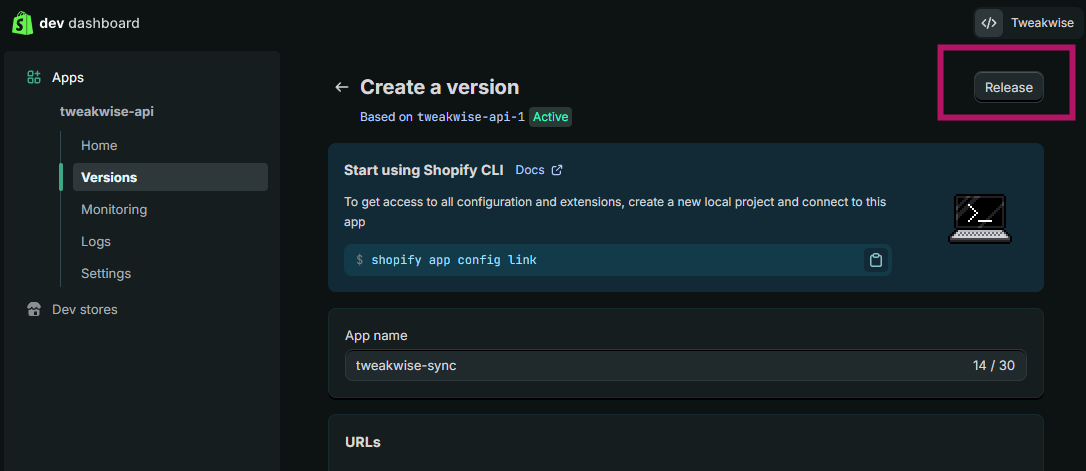
Click Release on the top right corner of the page, which will open a pop-up. Optionally add a name and message and click Release.
-
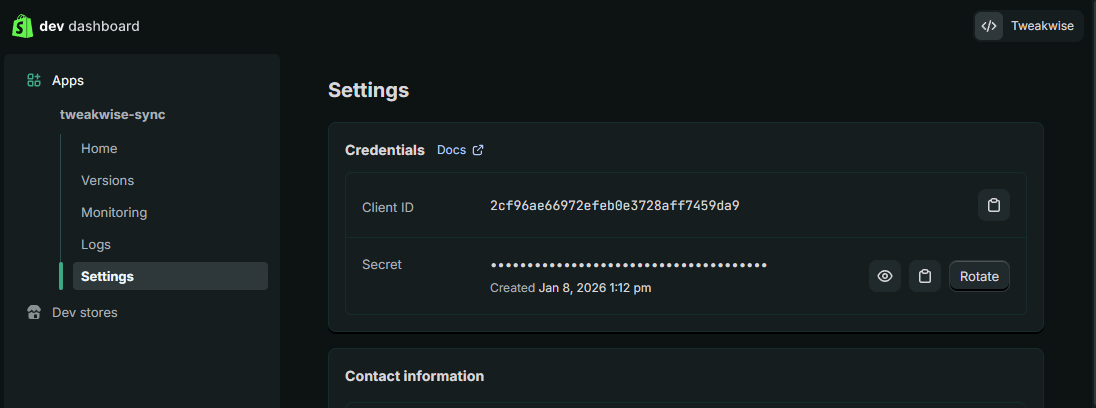
After that navigate to Settings, where you will find the Client ID and Secret, which we will need to authenticate the app. Copy both.
-
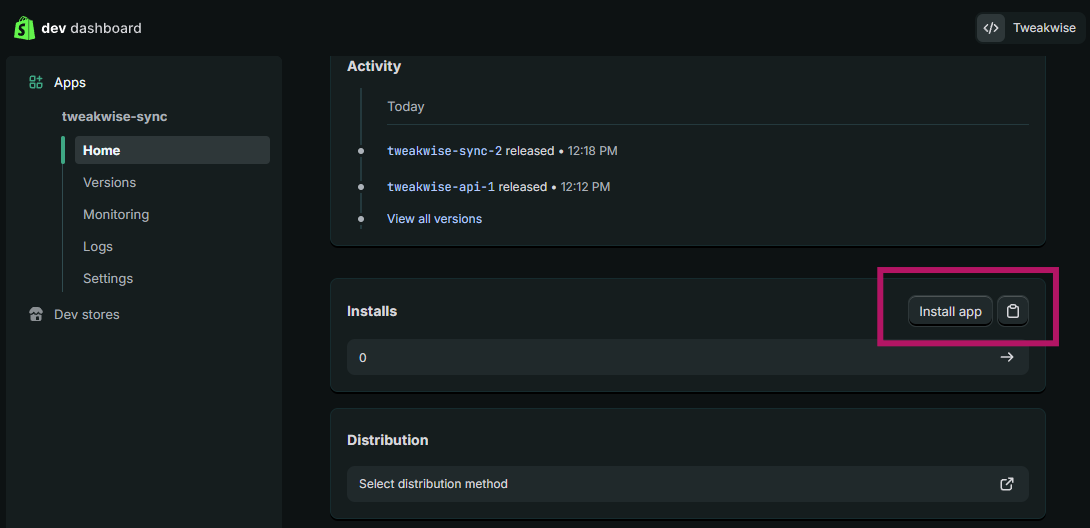
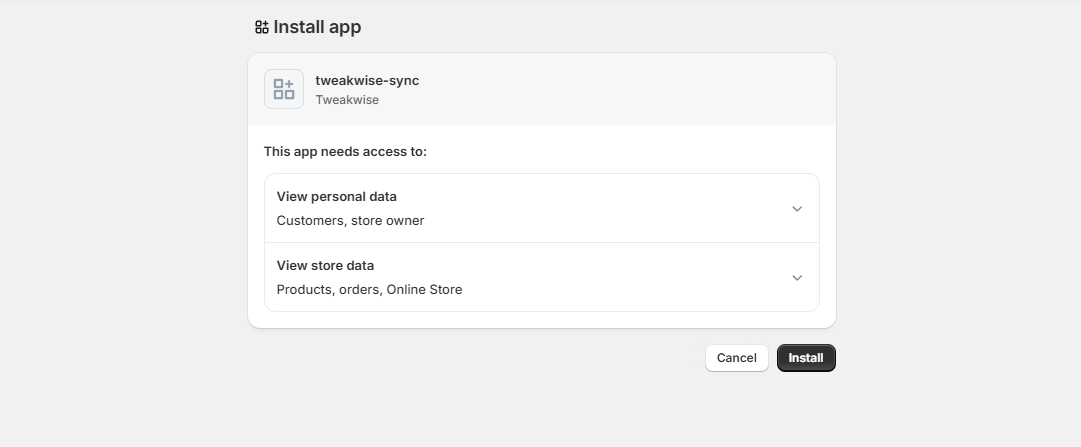
On the Home section, click Install app, select your shop to install the authentication app in your Shopify environment.
-
In Tweakwise, go to the Shopify Data Sync job.
Enter the Client ID, Secret and your Shopify store name (xxx.myshopify.com) in the setup tab: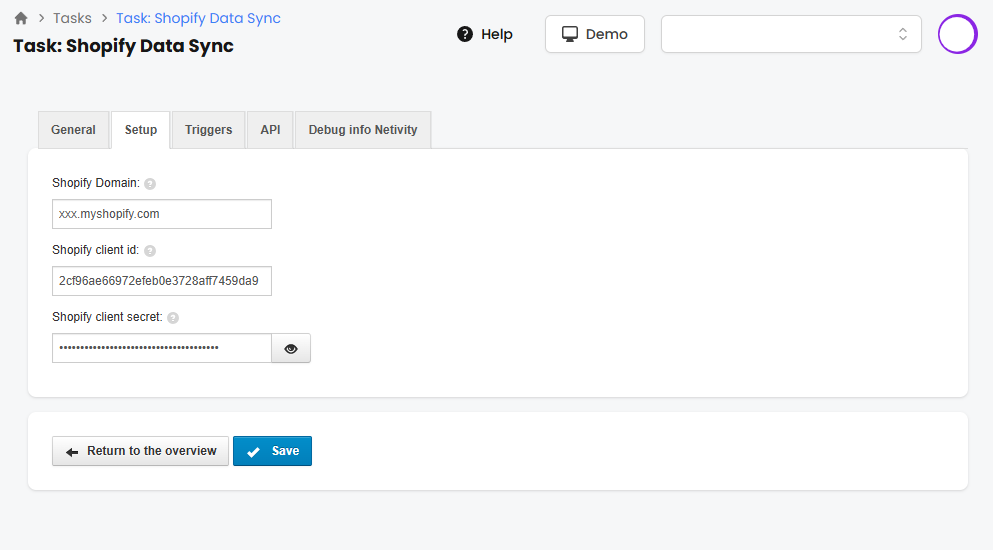
Notes & Considerations
- Multiple languages/markets and only get one category tree? Check if your domain is connected to the market.
- Category keys should be enabled on your instance