Shopify Collections
Commerce Pages helps e-commerce teams turn category pages into scalable conversion drivers. Using the Merchandising Builder, smart sorting and adaptive filters, teams control how products are discovered and presented. As merchandising maturity grows, layouts and experiences can be enriched to further improve relevance and conversion.
Configuration
To display Tweakwise Commerce Pages on your collections, create a custom Tweakwise Product Grid section.
In the code editor, create a new section tweakwise-product-grid.liquid and copy the following snippet:
{%- style -%}
  .tw-skeleton__container { min-height: 100vh; }
  .tw-skeleton { background: #f2f2f2; margin-bottom: 20px; min-height: 1.5em; }
  .tw-skeleton.is-low { min-height: 1em; }
  .tw-skeleton.is-square { aspect-ratio: 1/1; margin-bottom: 7px; }
  .tw-skeleton.is-square + .tw-skeleton { margin-bottom: 10px; }
  .tw-skeleton__grid { display: grid; grid-template-columns: 1fr 3fr; gap: 20px; }
  .tw-skeleton__right { display: grid; grid-template-columns: 1fr 1fr 1fr; gap:10px; }
  .section-{{ section.id }} { padding: 20px 0; }
  .section-{{ section.id }} .twn-starter__pagination.is-top { display: none; }
{%- endstyle -%}

  <div class="section section-{{ section.id }}">
  <div id="tweakwise-navigation-output" class="page-width">
    <div class="tw-skeleton__container">
      <div class="tw-skeleton__grid">
        <div class="tw-skeleton__left">
          <div class="tw-skeleton"> </div>
          <div class="tw-skeleton"> </div>
          <div class="tw-skeleton"> </div>
        </div>
        <div class="tw-skeleton__right">
          {% for i in (1..9) %}
          <div>
            <div class="tw-skeleton is-square"> </div>
            <div class="tw-skeleton is-low"> </div>
          </div>
          {% endfor %}
        </div>
      </div>
    </div>
  </div>
</div>

<script>
window.addEventListener('twn.starter.ready', function () {
  const listerPage = tweakwiseListerPage({
    output: "#tweakwise-navigation-output",
    cid: "{{collection.id}}",
    lang: '{{ request.locale.iso_code }}'
  });
});
</script>

{% schema %}
  {
    "name": "Tweakwise Product Grid",
    "settings": [ ],
    "presets": [{
      "name": "Tweakwise Product Grid",
      "category": "Tweakwise"
    }]
  }
{% endschema %}Notes:
- this code assumes the collections are synced with the collection.id as categoryid. If you choose a different id in the data sync (for example, with a language prefix), make sure you update this
cidto use that format. - the template places a skeleton structure to fight CLS, you can update this by choice.
- update the
tweakwiseListerPagecall to what you need, using the available Options.
Using the section
In your theme, go to the Collection template.
- Disable/remove/hide the default
Collection Product Grid. - Add the
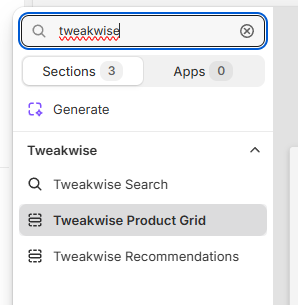
Tweakwise Product Grid: