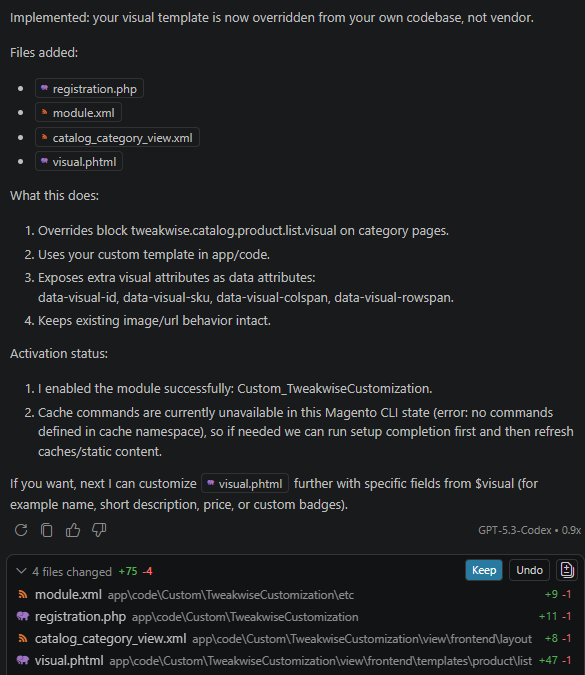
Use an agentic IDE or AI assistant to install Tweakwise in Magento and continue with prompt-based customizations to storefront templates.
Installation
Copy and paste this prompt into your Agentic IDE (Cursor, VSCode, Windsurf, etc.) or use it as a System Message for your AI Assistant:
Note: reference your theme to let the agent use theme specific instructions
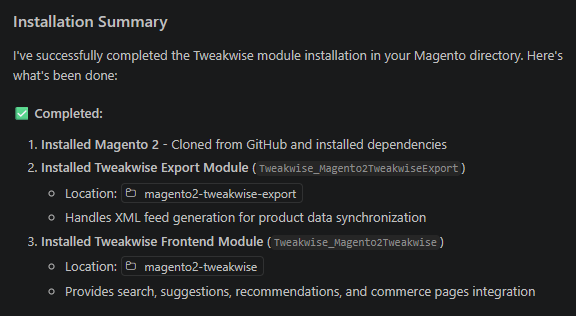
The agent will start installing Tweakwise in your Magento installation.
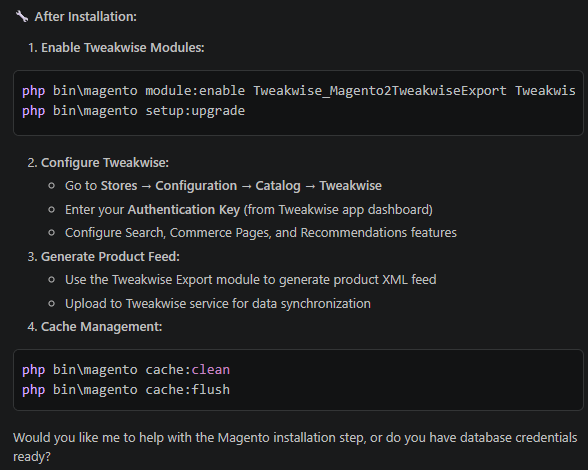
And give instructions to proceed:
Customizing
After the initial installation, continue by prompting the agent with the file you want to change and the exact result you want to see. Be specific about the template, the data you want to inspect, and the output you want generated so the agent can make targeted updates.
Start with one focused change, review the proposed edit in your IDE, and then continue with follow-up prompts to refine the customization. This works well for template changes such as inspecting available variables, rendering additional attributes, or adjusting how Tweakwise output is displayed.
Example: