
In this guide, you will learn how to configure export generation using cron and trigger the Tweakwise Import API URL in Shopware to automatically start the Tweakwise import and publish process. Triggering the import directly after feed generation ensures that your catalog is updated without timing issues.
The implementation consists of two main steps:
- Setting up export generation in Shopware using cron.
- Executing the HTTP trigger URL to initiate the import and publish job.
Implementation
- Obtain the trigger URL from Tweakwise app
- Open your import task details in Connectivity → Tasks
- Go to the API tab and copy the URL, save it for later
- In Shopware go to Settings → Extensions → Tweakwise feed.
- Open the correct feed record.
- In the
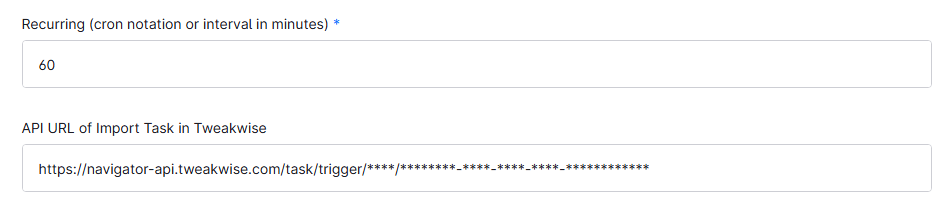
Recurringfield, enter the interval on which the feed should be created, using a number (every x minutes) or full cron notation (schedule). - In the
API URLfield, paste the API URL you copied earlier.
The Tweakwise import will now start every time the feed generation has completed, avoiding timing conflicts.
FAQ
Do you need to pass authentication credentials when calling the trigger URL?
No, the trigger URL works without credentials
What happens when the trigger URL is called?
It launches the import in Tweakwise immediately and schedules the publish.
Why should you trigger the import via API instead of a fixed schedule?
Triggering the import automatically once feed generation finishes avoids timing conflicts.